In this video, Amatrol’s Industry Sales Manager, Mark Goodman, demonstrates on Amatrol’s 970-ME1 how to adjust belt tension using an adjustable mounting base after learners have worked through the eLearning lessons, “how to determine belt tension for an application” and “methods of adjusting belt tension.”
Amatrol’s Mechanical Drives 1 Learning System (970-ME1) covers mechanical drive installation, mechanical drive operation, motor drive alignment, and applications of various motor drive systems. Learners will practice hands-on skills like leveling an electric motor, calculating mechanical efficiency, installing a flexible jaw coupling, installing and removing a chain with a master link using a chain puller, and installing and aligning a sleeve coupling and shaft.
Simlog’s Skid Steer Loader Personal Simulator puts students at the controls of a typical skid steer loader equipped with either a bucket (with or without teeth) or forks, at work in a typical construction site. The simulator configuration options include Vertical or Radial lift path types, and two skid steer loader color combinations.
Replica Controls
The most cost-effective option featuring industrial-strength controls.
Key Benefits
- Easy to assemble and USB-ready
- Light weight and portable
- Ability to create your own operator chair
- Multi-Purpose Replica Controls
- Optional Two-Pedal Replica Control Unit
- ISO, H-Pattern, or Standard (with pedals)
Simlog’s Skid Steer Loader Personal Simulator puts students at the controls of a typical skid steer loader equipped with either a bucket (with or without teeth) or forks, at work in a typical construction site. The simulator configuration options include Vertical or Radial lift path types, and two skid steer loader color combinations.
Operator Chair
A superior simulation experience with an authentic operator seat.
Key Benefits
- Fully assembled and USB-ready
- Steel platform on casters
- Adjustable seat and arm consoles
- Multi-purpose configurations
- Optional Two-Pedal Replica Control Unit
- ISO, H-Pattern or Standard (with pedals)
Simlog’s new Skid Steer Loader Personal Simulator, the world’s first, puts you at the controls of a typical skid steer loader equipped with either a bucket (there are two kinds) or forks, at work in a typical construction site.

Simlog’s Skid Steer Loader Personal Simulator puts students at the controls of a typical skid steer loader equipped with either a bucket (with or without teeth) or forks, at work in a typical construction site. The simulator configuration options include Vertical or Radial lift path types, and two skid steer loader color combinations.
Training efficiency is delivered through a modular Instructional Design that teaches real skills for productive and safe equipment operations in the field.

The Standard in Cost-Effective Simulation for Training Heavy Equipment Operators
Simlog Personal Simulators have been delivering cost-e ective training simulation to education and industry since 1999. Today, our Personal Simulators are used in over 500 vocational programs. Simlog Personal Simulators have helped place hundreds of thousands of students around the world on a pathway to becoming superior heavy equipment operators.
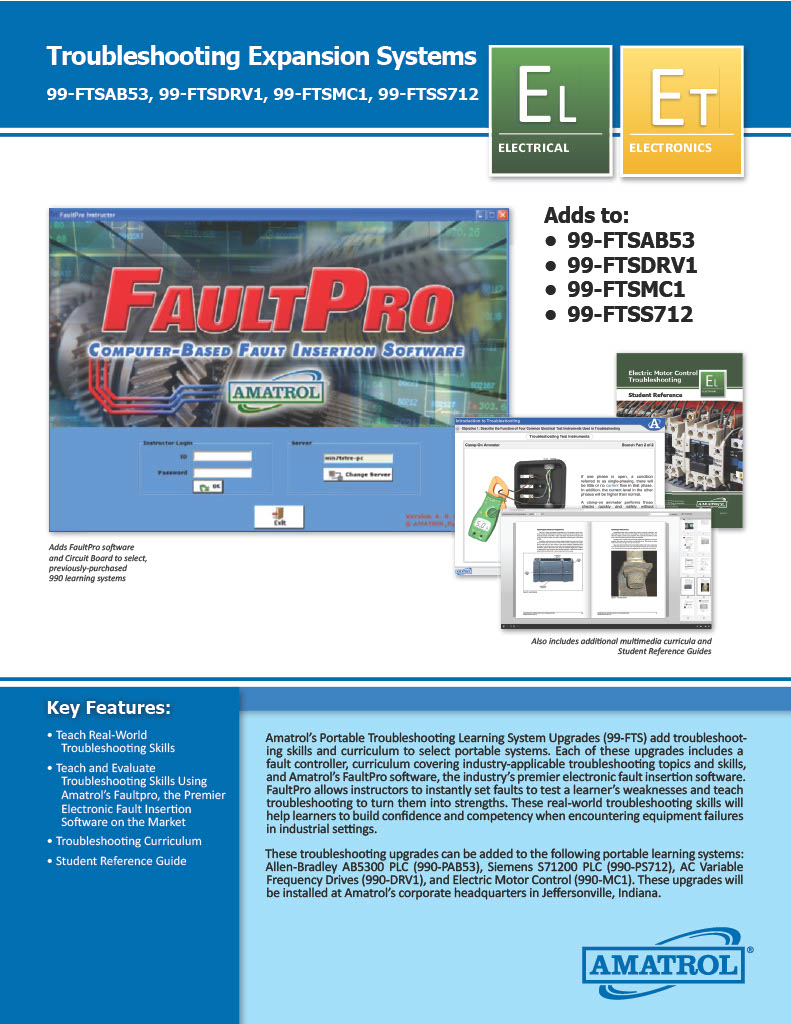
Amatrol's Portable Troubleshooting Learning System Upgrades (99-FTS) add troubleshooting skills and curriculum to select portable systems. Each of these upgrades includes a fault controller, curriculum covering industry-applicable troubleshooting topics and skills, and Amatrol's FaultPro software, the industry's premier electronic fault insertion software. FaultPro allows instructors to instantly set faults to test a learner's weaknesses and teach troubleshooting to turn them into strengths. These real-world troubleshooting skills will help learners to build confidence and competency when encountering equipment failures in industrial settings.
Adds to:
- 99-FTSAB53
- 99-FTSDRV1
- 99-FTMC1
- 99-FTSS712